
Faster Performance
Each update refines how the browser handles memory and pages, so sites load quicker and scrolling stays smooth.

July 10, 2026
A browser update usually arrives as a small notification, easy to dismiss and easy to postpone. If nothing seems broken, waiting feels reasonable. Yet that prompt points to changes that matter more than most people assume, and understanding them makes the decision to update far less of a chore.
Install Free ExtensionThe short version is that an update is rarely just a coat of paint. It touches performance, compatibility, privacy, and stability all at once. The sections below explain what actually changes when you update, why a current browser handles modern sites better, which habits round out good browser upkeep, and where an ad-blocking extension fits into the picture.
An update replaces the older parts of your browser with newer versions. That sounds routine, but the substance behind it covers several distinct areas.
Performance is one. Updates often refine how the browser uses memory and processes pages, which can translate into faster loading and smoother scrolling. Compatibility is another. The web relies on evolving standards, and each update adds support for the newer technologies that sites are built with, so pages display and behave as their designers intended.
Privacy improvements appear regularly too. Developers refine the controls that let you manage permissions, cookies, and stored browsing data, giving you clearer ways to see what your browser keeps. Bug fixes round out the list, resolving issues found in earlier versions before they cause problems. Many of these updates install automatically in the background, but checking occasionally confirms you are running the current version rather than one that quietly stalled.
Websites do not stay still. New interactive features, richer media, and updated design techniques appear constantly, and most of them depend on capabilities added to browsers over time. A browser that has fallen behind lacks the pieces these sites expect.
The practical result of staying current is reliability. Pages that rely on recent standards load and function as intended, rather than displaying incorrectly or failing to respond. Updated versions also tend to be more stable, which means fewer freezes and unexpected glitches while you read, shop, work, or stream. Put simply, a current browser is better matched to the sites you actually visit, so the everyday experience feels steadier.
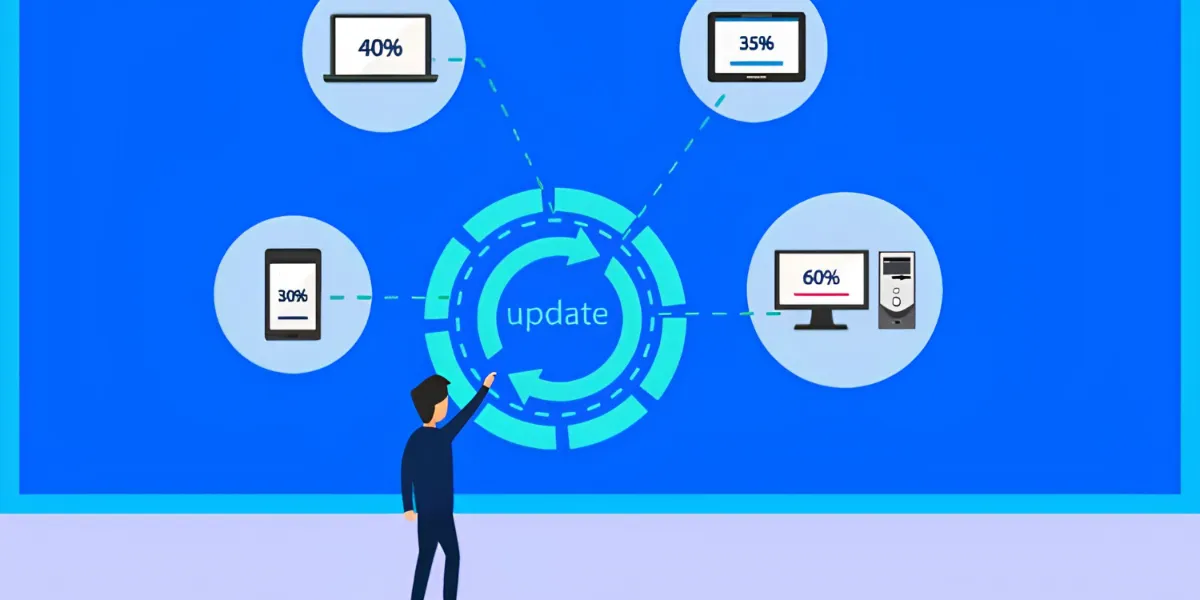
Updating is a strong foundation, but it works best alongside a few other habits that keep your browser in good order. None of them requires technical skill.
Reviewing website permissions is worthwhile, since sites gradually accumulate access to notifications, location, and other features you may no longer want. Removing extensions you have stopped using reduces the number of components running quietly in the background. Clearing temporary browsing data from time to time keeps things tidy, and organizing bookmarks makes the pages you return to easier to find.
Account security belongs in the same routine. Strong, unique passwords close one of the most common weak points, and multi-factor authentication adds a second check that a stolen password alone cannot pass. Enabled wherever a service offers it, that extra step does a great deal with little effort. Together, these habits support a browsing environment that stays organized and manageable.
Updates and maintenance shape how your browser runs and what it stores. They do less about the advertising elements that load on the page itself. Banners, pop-ups, autoplay media, and web trackers frequently arrive alongside the content you came to read, and in volume they crowd the page and slow it down.
An ad blocker works on this layer, on top of the controls your browser already provides. Its main function is to reduce intrusive ads, and many also limit a portion of the web trackers tied to advertising networks. Because certain elements never load, pages tend to appear cleaner and read more smoothly, while less of your activity is passed to those networks.
It is worth being precise about what such a tool is. An ad blocker is not antivirus software, and it is not a complete browser security solution. It manages advertising clutter and tracking, while your updates, settings, and habits cover the rest.
For anyone looking to improve daily browsing beyond a browser's built-in features, the Total Adblock Browser Extension is one option to consider. It is designed to block intrusive ads, reduce many web trackers, and produce cleaner pages across the sites it supports.
In everyday use, the benefit usually shows up as readability. With fewer elements competing for attention, reading articles, shopping online, or researching a topic tends to feel more direct. That practical difference is much of the reason people install it.
The limits are worth stating plainly. The Total Adblock Browser Extension is not antivirus software and does not provide complete cybersecurity protection. Its purpose is narrower: supporting online privacy and improving browsing comfort through ad and tracker management. Used alongside a current browser and responsible habits, it fits into a routine rather than replacing any part of it.
Small maintenance habits and a simple ad-blocking extension add up to a faster, calmer web.
Each update refines how the browser handles memory and pages, so sites load quicker and scrolling stays smooth.
Current browsers support the newer web standards sites are built on, so pages display and behave the way their designers intended.
Updates keep refining how you manage permissions, cookies, and stored data, giving clearer ways to see what your browser keeps.
The Total Adblock extension works on top of your browser to strip banners, pop-ups, and autoplay clutter before they load.
Many of the web trackers tied to advertising networks are limited, so less of your everyday activity is passed along.
With fewer elements competing for attention, reading, shopping, and researching all feel more direct and less noisy.
Open your browser menu and confirm you are running the current version rather than one that quietly stalled.
Relaunch the browser so pending updates finish installing and the newest performance and security fixes take effect.
Install the Total Adblock Browser Extension from the official Chrome Web Store to reduce intrusive ads and trackers.
Trim extensions you no longer use and revoke site access for notifications or location you no longer want.
Enjoy pages that load faster and read more smoothly, with less clutter and less activity passed to ad networks.
Keeping my browser current and adding a simple ad blocker made the whole web feel lighter and easier to read.
I stopped ignoring the update prompts, and now pages just load the way they are supposed to.
The extension cleared out the pop-ups I used to fight with every single day.
Fewer trackers and cleaner articles — reading online finally feels calm again.
Updating my browser and blocking ads was the easiest tune-up I have ever done.
My laptop runs cooler now that fewer ads load quietly in the background.
7-day free trial
See current Total Adblock pricingPrices shown are indicative introductory figures for the United States and may vary by region and promotion; the renewal price applies after the first year. Always confirm the current price and terms on the official Total Adblock website before purchasing. This page may earn a commission from purchases made through its links.
"Total Adblock cleaned up my screen completely. On news and information sites the difference is night and day."
"My laptop no longer heats up as much while browsing. Fewer ads really does mean better performance."
"Simple to install and it does exactly what it promises. An easy, worthwhile change."
"Pages that used to crawl now open quickly and stay tidy the whole time I read."
"Paired with keeping my browser updated, the whole thing just feels smoother day to day."
An update is rarely just a coat of paint. It touches performance, compatibility, privacy, and stability at once, replacing older parts of your browser with newer, better-behaved versions.
Many install quietly in the background. Even so, checking occasionally confirms you are on the current version rather than one that stalled without you noticing.
It works on the advertising layer, on top of your browser's own controls. It reduces intrusive ads and limits many advertising trackers, so pages appear cleaner and read more smoothly.
No. It is not a complete security solution. Its purpose is narrower: managing advertising clutter and tracking, while your updates, settings, and habits cover the rest.
Reviewing site permissions, removing extensions you no longer use, clearing temporary data, and securing accounts with strong passwords and multi-factor authentication.
The Premium tier extends ad blocking to major sites such as YouTube and Facebook, along with video ads, unwanted notifications, and pop-ups, while the Free tier covers lesser-known sites.
Often, yes. Because certain elements never load, pages tend to load faster and use less memory, which can also keep your device running a little cooler.
A better browsing experience comes from a few things working together: keeping your browser updated, reviewing permissions and stored data now and then, securing your accounts, and managing the clutter that loads on each page. The first steps cost only a few minutes, and they keep the rest running smoothly. If you would like to reduce intrusive ads, limit many web trackers, and enjoy cleaner webpages every day, the Total Adblock Browser Extension may be a practical addition to your browser.
This page is a paid advertorial brought to you by velvaniax.com. It is intended for promotional purposes only and should not be considered independent journalism, editorial content, or consumer advice. The content has been created or curated by the advertiser and may include affiliate links. We may receive compensation if you choose to purchase a featured product or service via the links provided. Please refer to our Advertising Disclaimer and Privacy Policy for more information.
